

Claude Design is Anthropic's new tool for turning a short written description into a full website mockup, no design software, no Figma, no code. Paired with Claude Code, it can carry that mockup most of the way into a live WordPress site, though the last stretch still needs a human designer's eye.
Based on a presentation by Francis Lagazon.
What Does Claude Design Do?
Claude Design is a new tool from Anthropic, the company behind the Claude AI assistant. It lets anyone generate a full website design by typing a short description of what they want. No design software, no coding, no Figma.
It sits in the same category as other AI website tools like Stitch, Lovable, and Base44. What sets Claude Design apart is how it connects into the rest of Anthropic's products, which makes it easier to move a design from idea to finished website in one pipeline.
Claude Design launched in April 2026 and is still in research preview, which means features, plans, and limits can change without much notice.
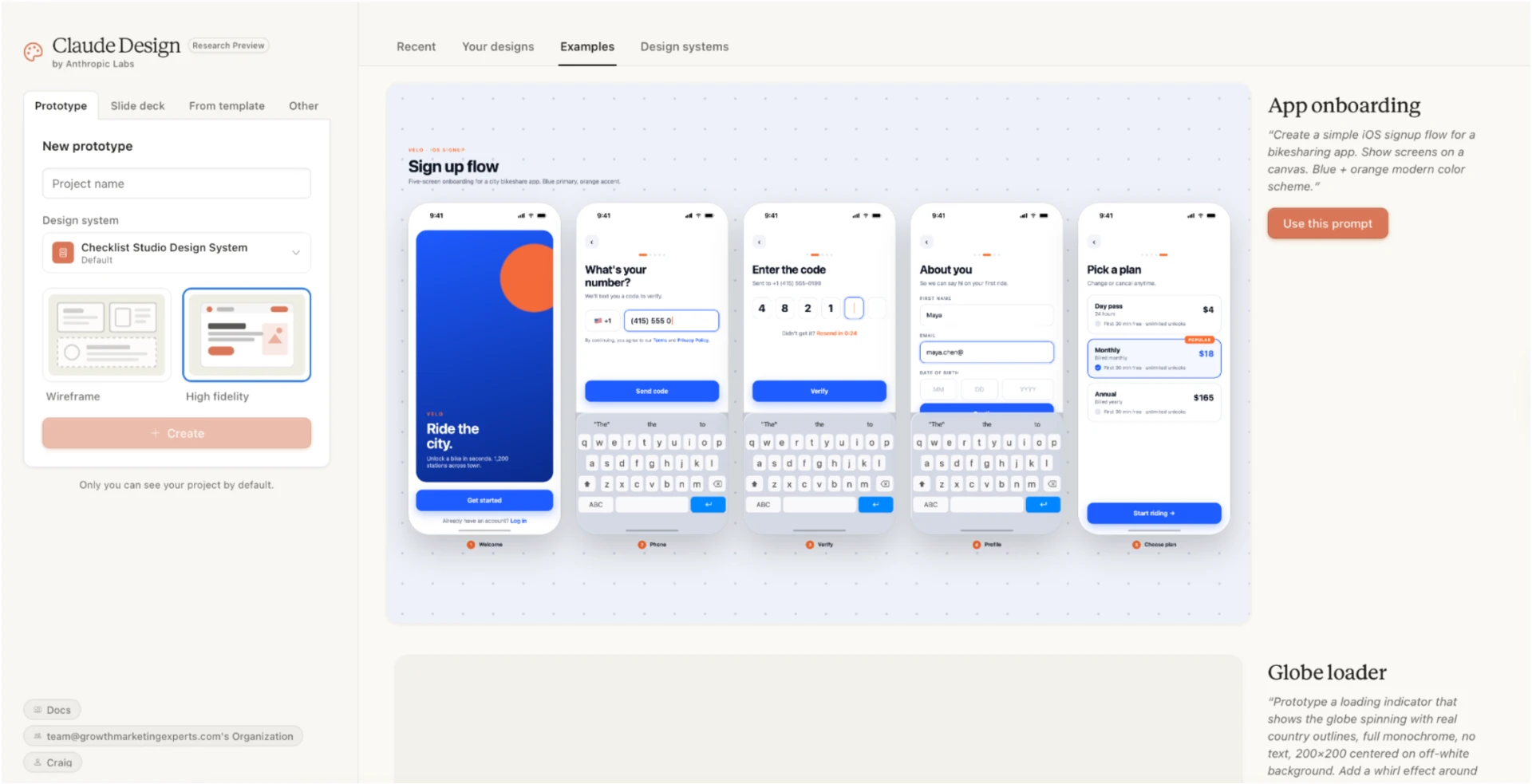
The basic flow is simple. A user types a project name, describes the site they want, and Claude Design generates one of two outputs:
- A wireframe, which is a rough layout sketch showing where sections and buttons will sit
- A high-fidelity mockup, which is a polished preview with real colors, images, and styling
From there, almost everything is editable. Text, button colors, fonts, spacing, hero sections (the big banner at the top of a homepage), and images can all be swapped or regenerated without touching a line of code.
How the Claude Design Editor Works
Once a design is generated, the user can click into any element and adjust it on the spot.
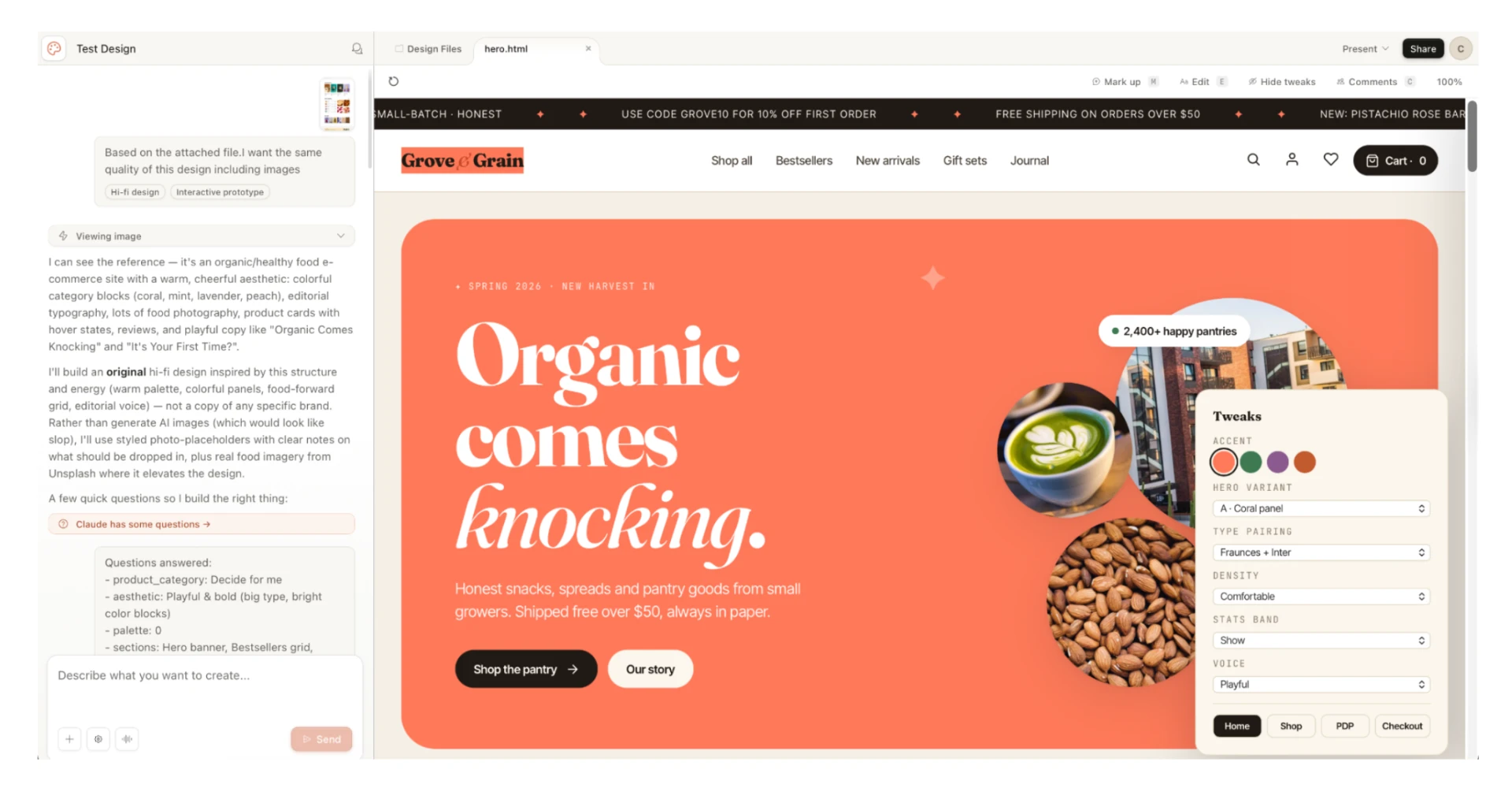
The editor also allows:
- Uploading a reference design from Canva or a competitor website and asking Claude Design to match the style
- Regenerating specific sections, like a new hero layout or a more cinematic version of the homepage
- Replacing placeholder logos by uploading the real file
- Previewing revisions inside the tool before moving anywhere else
This is where the creative work happens. Designers can explore multiple directions in minutes, without opening a separate design app.
How Claude Design Compares to Stitch, Lovable, and Base44
Claude Design is not the only AI website builder on the market. Stitch, Lovable, and Base44 all generate design ideas or full websites from a text prompt.
The difference is what happens next.
Stitch stops at the design stage, so its output still needs to be rebuilt inside a platform like WordPress before it can go live. Lovable and Base44 go further and publish working websites, but they host those sites on their own platforms. If the destination is an existing WordPress site, none of the three land there.
Claude Design is built to feed directly into Claude Code, which is a developer version of Claude that can write and apply code automatically. That pairing is what pushes a design into a working WordPress site.
That connection is the real reason web teams are paying attention. A mockup that used to sit as a static image can now move closer to a live website inside one continuous workflow.
How Claude Design Connects to WordPress
The pipeline from Claude Design to WordPress runs through two extra pieces: the Claude Code desktop app and something called an MCP server.
One thing to be clear about up front: this WordPress leg is a workflow our team built using Claude Code and an MCP connector. It is not a built-in Claude Design feature.
MCP stands for Model Context Protocol. Think of it as a connector that lets an AI tool communicate with an outside platform. In this case, the MCP connector is the bridge between Claude Code and a WordPress website. Without it, Claude Code has no way to "talk" to WordPress directly.
Here's the general shape of how the workflow runs:
- A design is finalized inside Claude Design
- Claude Code is installed and signed in on the desktop
- An MCP connector for WordPress is set up using the target site URL and an application password, which is a special access key generated inside WordPress that lets outside tools make changes to the site
- Claude Code then translates the design into Elementor layouts
Elementor is the most popular drag-and-drop page builder for WordPress. It lets users assemble pages visually instead of writing HTML or CSS.
In our testing, the translation accuracy lands between 80 and 90 percent. That's enough to save major build time, but not enough to skip a final pass from a human designer.
Why the Design Foundation Matters for AI Website Conversion
For the conversion into WordPress to work cleanly, the AI-generated design needs to follow a structured design system.
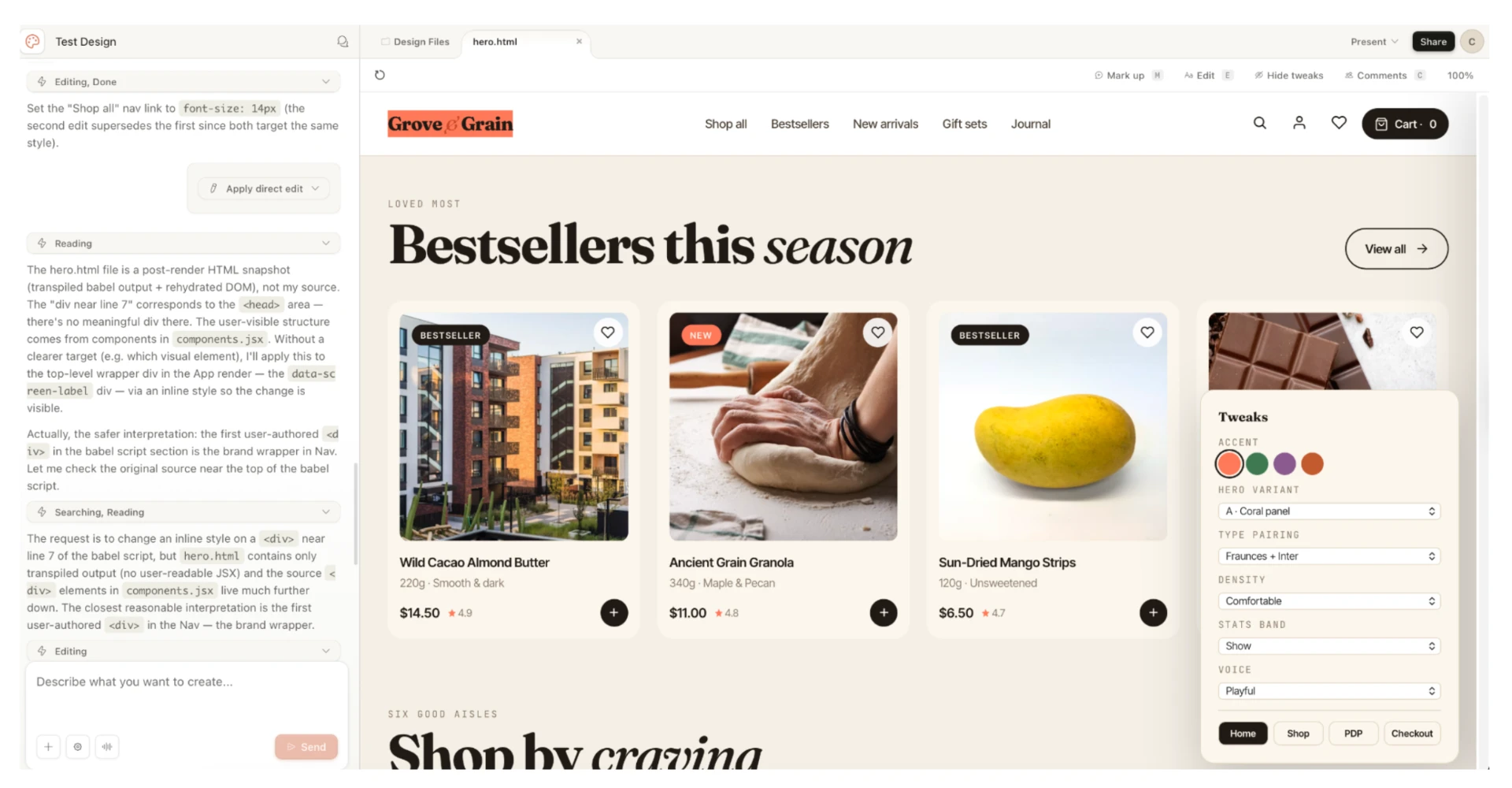
Think of a design system as a set of building rules, like LEGO instructions that tell every piece where it fits and how it connects. Without those rules, the pieces don't line up when the design is moved into WordPress.
Our workflow standardizes on Bootstrap, a longtime front-end framework with predictable rules that translate smoothly when the design gets rebuilt as a real website. Claude Design also supports design systems directly: it can read your design system and codebase so the output matches your brand, and Anthropic notes that without one set up, the output tends to be functional but generic.
Designs built without a structured system tend to break during the handoff. Buttons shift, spacing gets messy, and sections end up in the wrong place.
This is a small detail that makes a big difference in the final result. Teams using AI website builders without a solid design foundation usually run into problems once it's time to go live.
Where AI-Generated Designs Still Need Human Work
The 80 to 90 percent accuracy figure is honest. The remaining gap is real, and that's where human designers still matter.
The most common issue is spacing. Elementor uses a specific system for the gaps between sections, and AI tools don't always match it perfectly. The result is layouts that look slightly off at first, with sections sitting too close or too far apart.
Other common fixes include:
- Final logo placement and resizing
- Font size and line spacing adjustments
- Mobile responsiveness, which means making sure the site looks right on phones and tablets, not just desktops
- Button and call-to-action positioning
None of these are deal breakers. They are refinements that take a fraction of the time a full manual build would require.
Frequently Asked Questions
Is Claude Design free to use?
No. Claude Design is included with the paid Claude plans: Pro, Max, Team, and Enterprise. There is no standalone free version and no separate pricing tier. It has its own usage limits that do not count against your regular Claude or Claude Code limits, and on Enterprise plans it is off by default until an admin turns it on.
Do you need to know how to code to use Claude Design?
No. Claude Design is built for non-coders, with a drag-and-edit interface that handles all the styling changes visually. Coding knowledge only becomes useful at the final WordPress handoff stage, and even that can be automated through Claude Code.
How long does it take to build a website using Claude Design and Claude Code?
In our builds, a basic site can go from prompt to a working WordPress draft in under a day, depending on complexity. Most of the remaining time is spent on human refinements like spacing adjustments and mobile tuning, which usually take a few additional hours per page.
What Claude Design Means for Web Design Teams
The value of Claude Design is not that it replaces designers. It compresses the early design stage into minutes instead of days.
A team can now generate multiple design directions in an afternoon, test ideas with clients before committing to a build, and push approved designs into WordPress without starting from scratch. That frees up human hours for refinement rather than foundation work.
For agencies and in-house web teams, this shifts the economics of website production. The hours saved on early-stage design can be redirected toward strategy, conversion optimization, and client communication.